
Review Security and Permissions
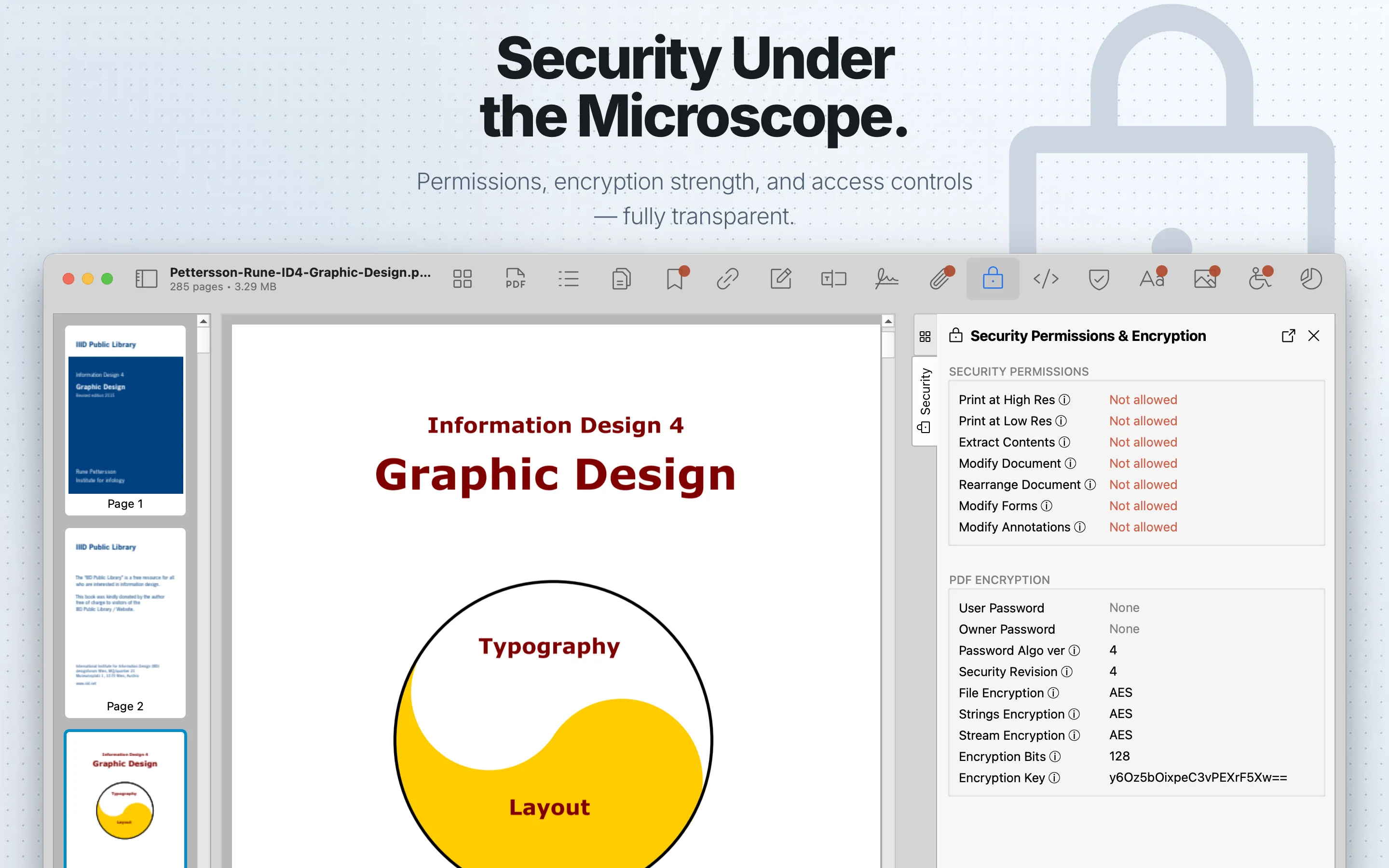
Use the Security tab to understand whether a PDF is encrypted and which actions the document permissions allow or restrict.
What to check
Confirm encryption status, password requirements, and permission flags before distributing or relying on a protected document.
Review steps
- Open Security and check whether the PDF is encrypted.
- Review whether a password was required to open the file.
- Check permission flags for printing, copying, editing, annotation, form filling, and extraction.
- If the document is signed, inspect Signatures as part of the same review.
Important caveat
PDF permission flags describe intended restrictions. Enforcement depends on the viewer and the surrounding workflow, so do not treat permission flags as a complete access-control system.