
Links Tab
What it shows
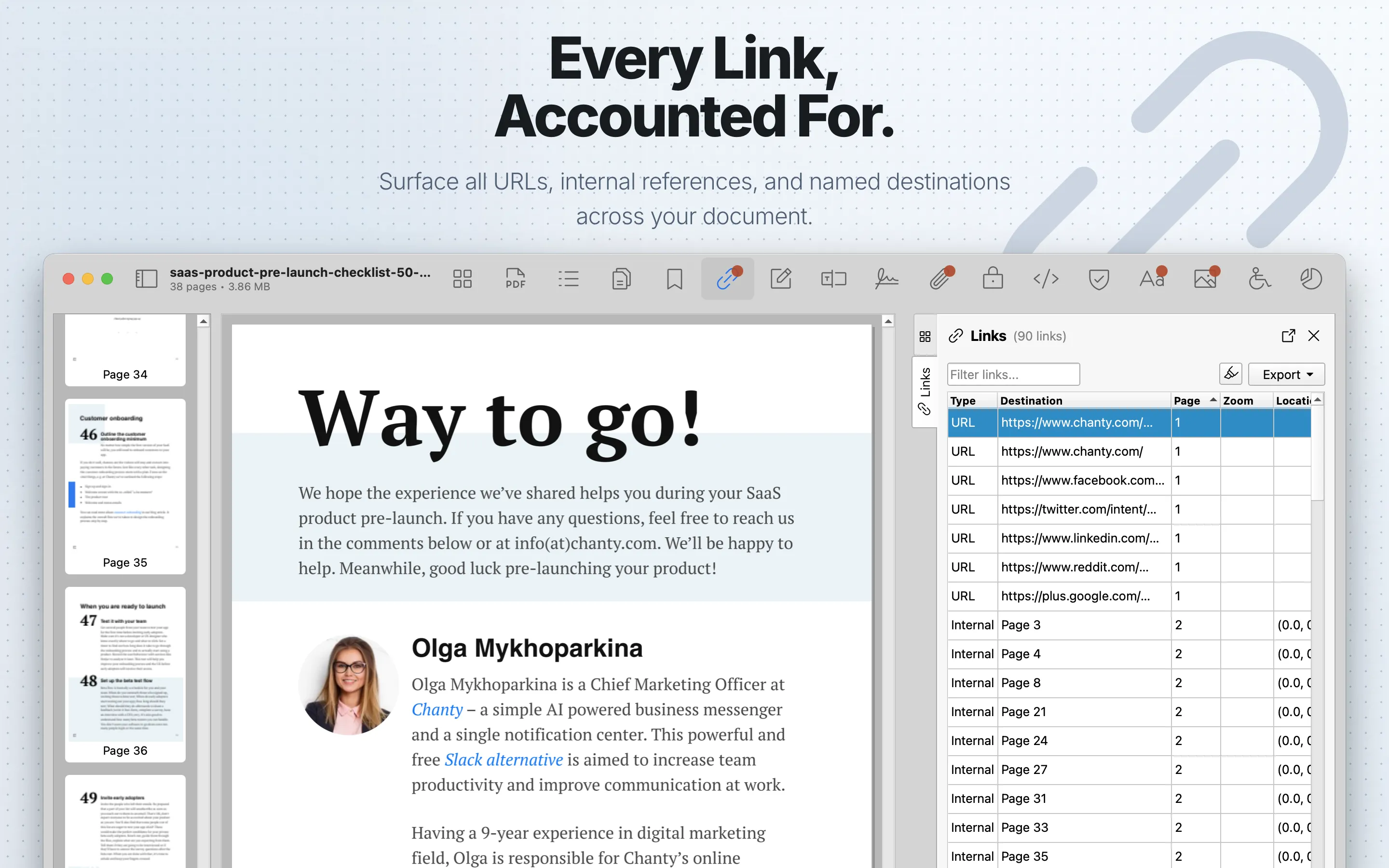
Links lists link annotations and destinations, including URL links, internal destinations, named destinations, launch actions, and related page location data.
When to use it
Use it to audit external URLs, broken destinations, and unexpected link targets.
Links Table
| Column | What it means |
|---|---|
| Type | The link action category, such as URL, Internal, Named, Launch, External, or Unknown. |
| Destination | The URL, page target, named destination, launch target, or external file target. |
| Page | The source page where the link annotation appears. |
| Zoom | The destination zoom level when the link defines one. |
| Location | The destination coordinates on the target page when available. |
| Rectangle | The clickable rectangle on the source page. |
Review steps
- Review external URLs, internal page destinations, and named destinations.
- Select links to locate their page context when highlighting is available.
- Check for shortened, misleading, or unexpected domains.
- Cross-check link annotations in Annotations .
Details
Select a row to open Link Details. Details include Type, Destination, source Page, Zoom, Location, and Rectangle. When a destination can be opened, the details pane includes a Go to destination button.
Use the filter field to search links. When highlighting is enabled, selecting a link highlights its rectangle in the PDF preview.
Export
Links can export table data as CSV or JSON. Export requires PDF Auditor Pro.