
Attachments Tab
What it shows
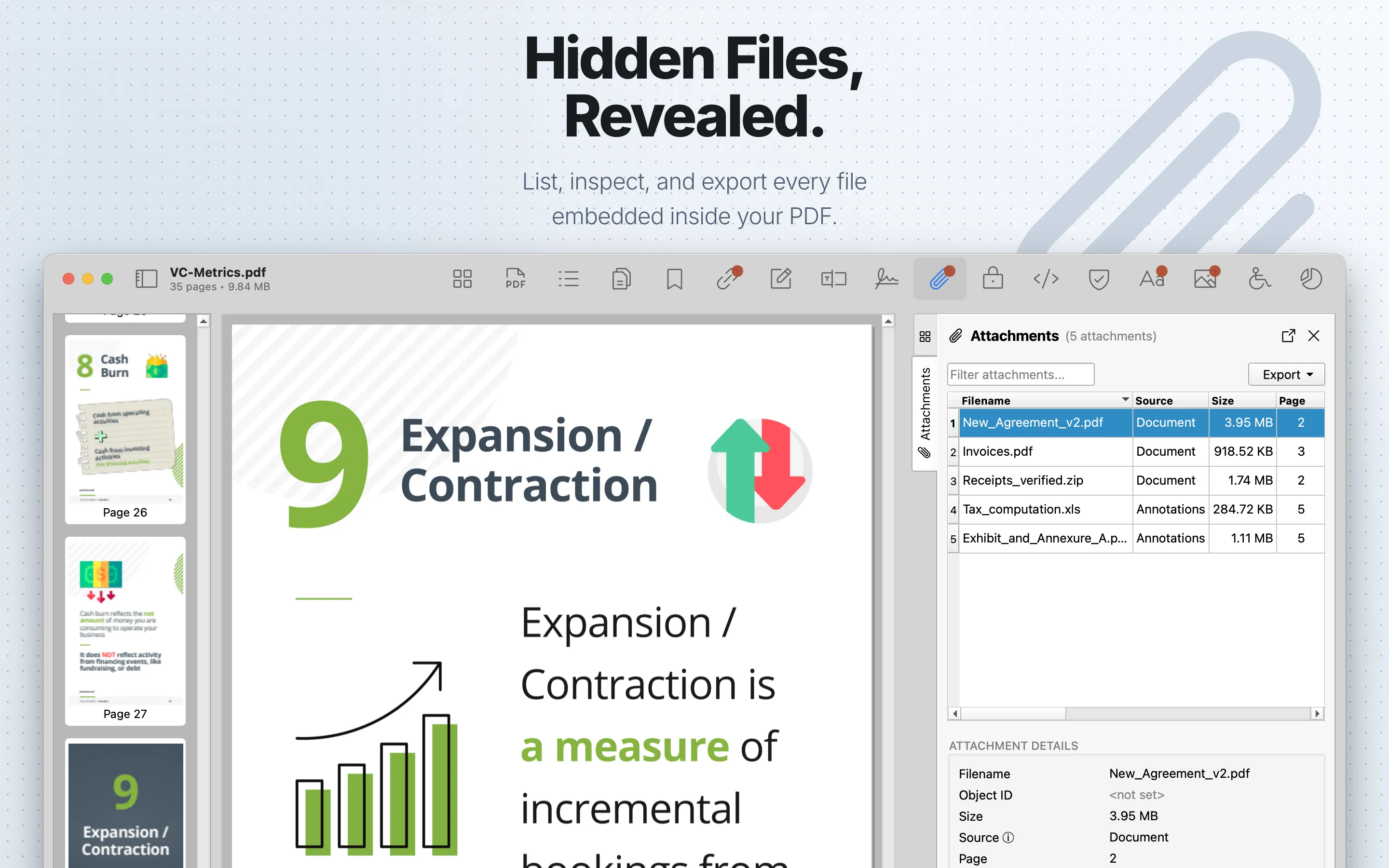
Attachments lists embedded files from supported PDF attachment locations, including source labels, page references, sizes, declared and detected file types, and checksum information where available.
When to use it
Use it to find packaged documents, associated files, annotation attachments, and unexpected embedded payloads.
Attachments Table
| Column | What it means |
|---|---|
| Filename | The embedded file name reported by the PDF. |
| Source | Where PDF Auditor found the file, such as a name tree, associated file, annotation attachment, or orphan embedded-file stream. |
| Size | The embedded file size. |
| Page | The related page when the attachment is page- or annotation-associated. |
| Type | The declared MIME type, or detected MIME type when the declared type is absent. |
| Relationship | The PDF associated-file relationship when the file declares one. |
| Description | The attachment description stored in the PDF. |
| Created At | The attachment creation date when available. |
| Modified At | The attachment modification date when available. |
| Object ID | The PDF object reference for the embedded file stream. |
Review steps
- Review attachment names, source locations, sizes, and checksums.
- Treat unexpected executable, archive, script, or duplicate-looking files as higher-priority findings.
- Cross-check annotation attachments with Annotations .
- Export only when your document-handling rules permit it.
Details
Select a row to open Attachment Details. Details include Filename, Object ID, Size, Source, Page, Relationship, Created At, Modified At, stored MD5, checksum status, declared Type, Detected Type, and Description. The MD5 row includes a copy button when a stored hash is available. Checksum status compares the calculated MD5 with the stored checksum when the PDF provides one. Detected Type can flag a mismatch between the declared MIME type and the file bytes.
Source explains where the embedded file was found: name tree, associated file, annotation attachment, or orphan embedded-file stream.
Export
Viewing attachment details is available without Pro. Exporting attachment table data as CSV or JSON requires PDF Auditor Pro.
Use the export menu to save the attachment list as CSV or JSON. These exports contain attachment metadata such as filename, source, size, page, type, relationship, description, dates, and object ID.
Save Attachments
Saving embedded files requires PDF Auditor Pro.
Use Save Attachment to save the selected attachment. Use Save All Attachments… to save every listed attachment to a selected folder.
Tab settings
The tab settings menu includes Hide embedded files. It is on by default and hides XFA packets and orphan /EmbeddedFile streams so the list focuses on conventional attachments. Turning it off runs the broader embedded-file scan and may reveal additional rows.