
Size Analysis Tab
What it shows
Size Analysis breaks down PDF size by major content categories, pages, and individual PDF objects. It shows a visual category chart, an object-level table, and a per-page size table after analysis completes.
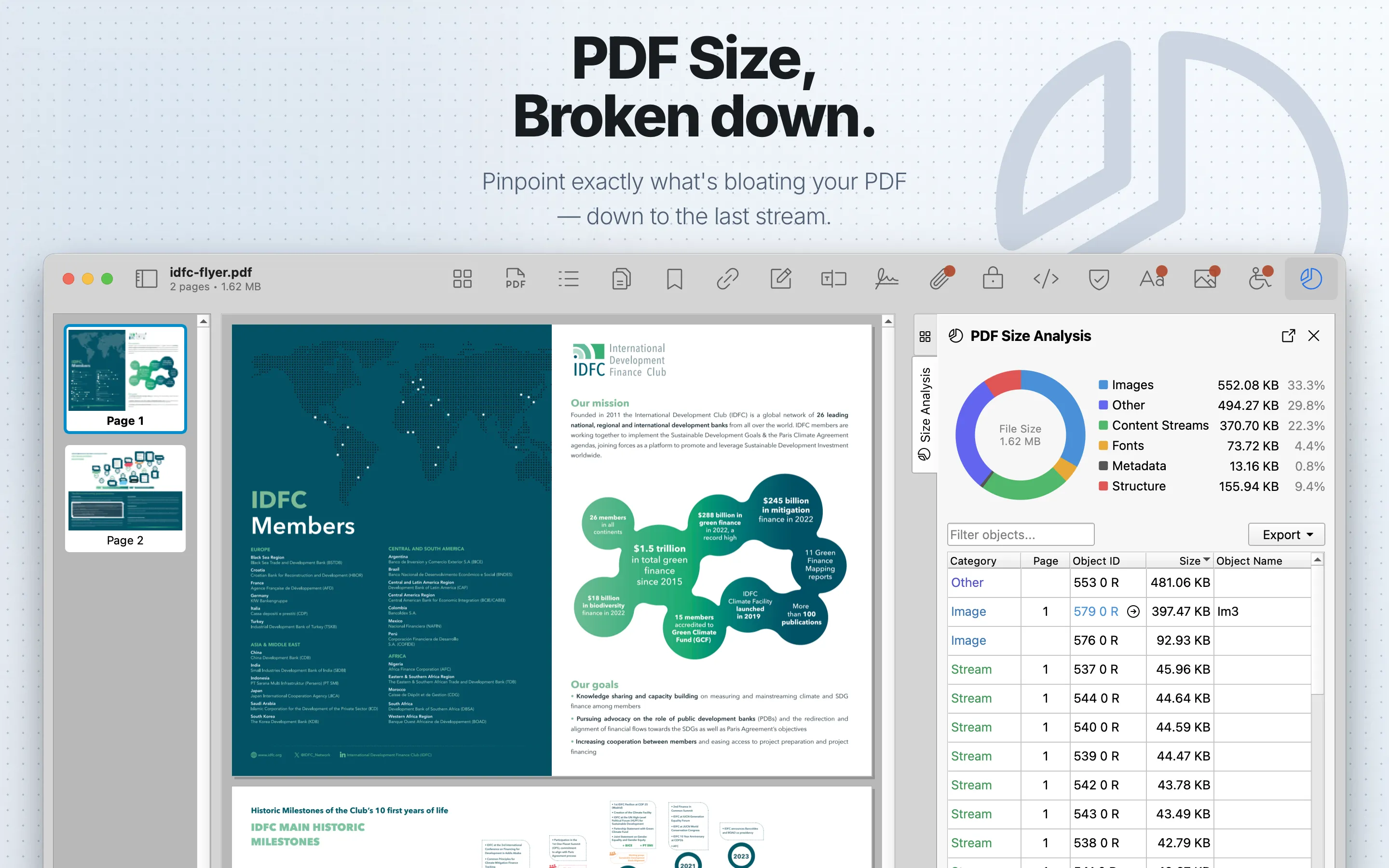
When to use it
Use it to find large embedded images, unexpected file-size contributors, and optimization targets.
Object Table
| Column | What it means |
|---|---|
| Category | The size category assigned to the PDF object, such as images, fonts, pages, attachments, metadata, forms, JavaScript, or overhead. |
| Page | The related page when PDF Auditor can map the object to a page. |
| Object ID | The PDF object reference. Navigable object IDs are shown as links when PDF Auditor can jump to a related tab. |
| Size | The object’s compressed on-disk size contribution. |
| Object Name | A readable object description or resource name. |
Page Sizes Table
| Column | What it means |
|---|---|
| Page | The page number. |
| Objects | The number of objects attributed to that page. |
| Size | The total compressed on-disk size attributed to that page. |
Review steps
- Review overall size composition by category.
- Look for pages or object types that dominate the file size.
- Cross-check large image contributions in Images .
- Use findings to guide optimization or production troubleshooting outside PDF Auditor.
Analysis workflow
Small PDFs analyze automatically. For larger PDFs, click Analyze File Size because the scan may take time. During analysis, PDF Auditor shows progress. When complete, the tab shows the category chart and tables.
Use the object filter to search the object-level table. Selecting a chart category filters the table to that category; use Show All to clear the category filter. Double-click supported object rows to jump to related tabs, such as Images, Fonts, Attachments, or Pages, when PDF Auditor can identify a matching object.
The Page Sizes table shows per-page size contributions separately from the object table.
Export
The object table can export CSV or JSON. The Page Sizes table has its own CSV or JSON export using the size_analysis_per_page export name. Detailed tables and exports require PDF Auditor Pro.