
Fonts Tab
What it shows
Fonts lists fonts used by the PDF, including font names, font types, encodings, embedding status, subset status, and text counts.
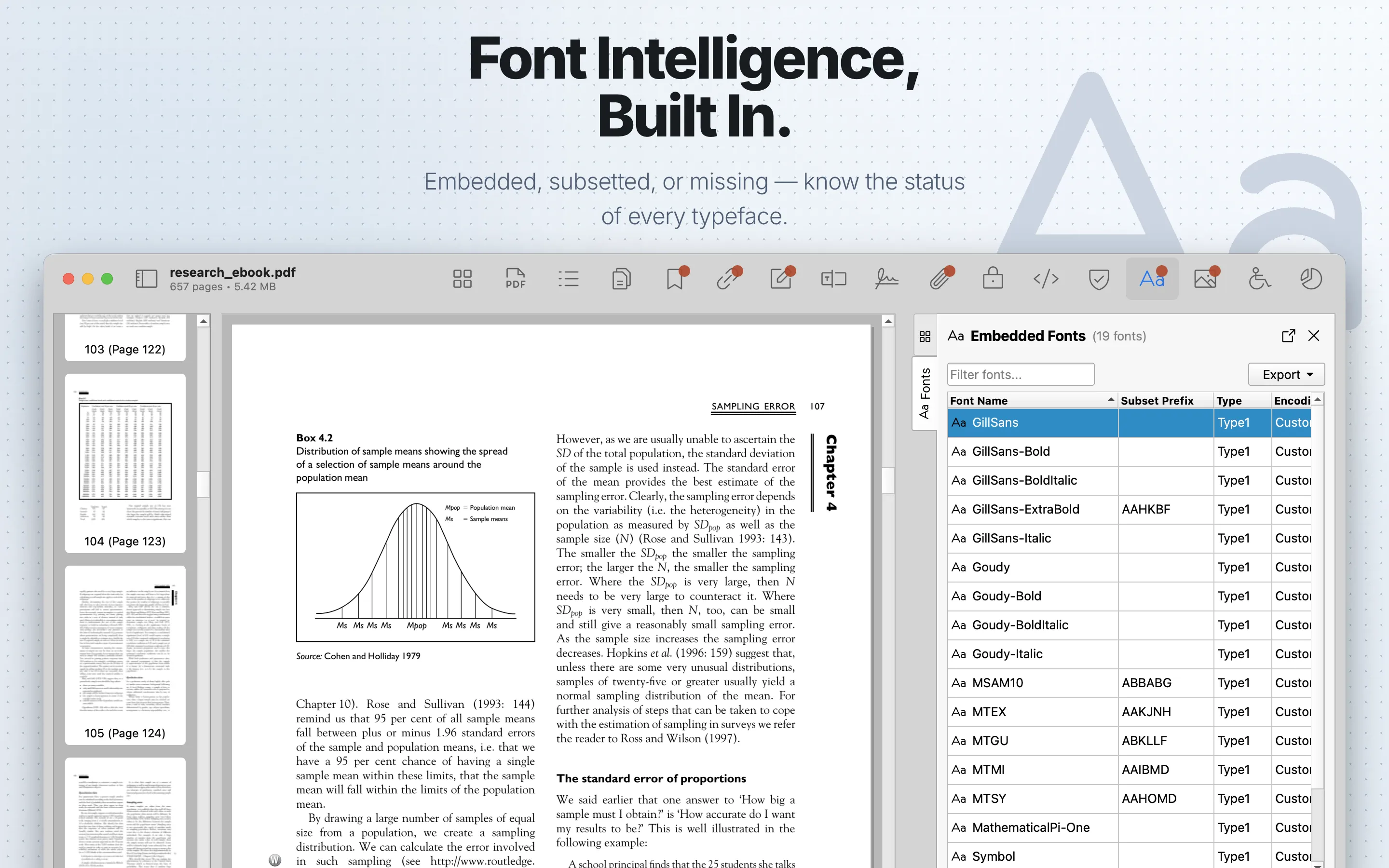
When to use it
Use it for prepress QA, publishing checks, and diagnosing text rendering differences.
Fonts Table
| Column | What it means |
|---|---|
| Font Name | The base font name after separating any subset prefix. |
| Subset Prefix | The six-character subset prefix when the font is subset-embedded. |
| Type | The PDF font type, such as Type1, TrueType, Type0, or CIDFont. |
| Encoding | The font encoding or character map information reported by the PDF. |
| Weight | The parsed or inferred font weight when available. |
| Style | The parsed or inferred style, such as regular, italic, or oblique. |
| Embedded | Whether the font program is embedded in the PDF. |
| Subset | Whether the embedded font contains only a subset of glyphs. |
| Text Count | How many text references PDF Auditor found for the font. |
| Pages Used | The pages where the font appears. |
Review steps
- Check whether required fonts are embedded or subset.
- Look for unexpected fallback fonts, producer-specific names, or unusual encodings.
- Compare font findings with visible rendering issues in the preview.
- Review Pages and Size Analysis when fonts contribute to output or size problems.
Details
Select a row to open Font Details. Details include Font Name, Subset Prefix, Type, Encoding, Weight, Style, Embedded, Subset, and Text Count.
Use the filter field to search the table. Columns are sortable and movable.
Export
Fonts can export table data as CSV or JSON. Export requires PDF Auditor Pro.