
Pages Tab
What it shows
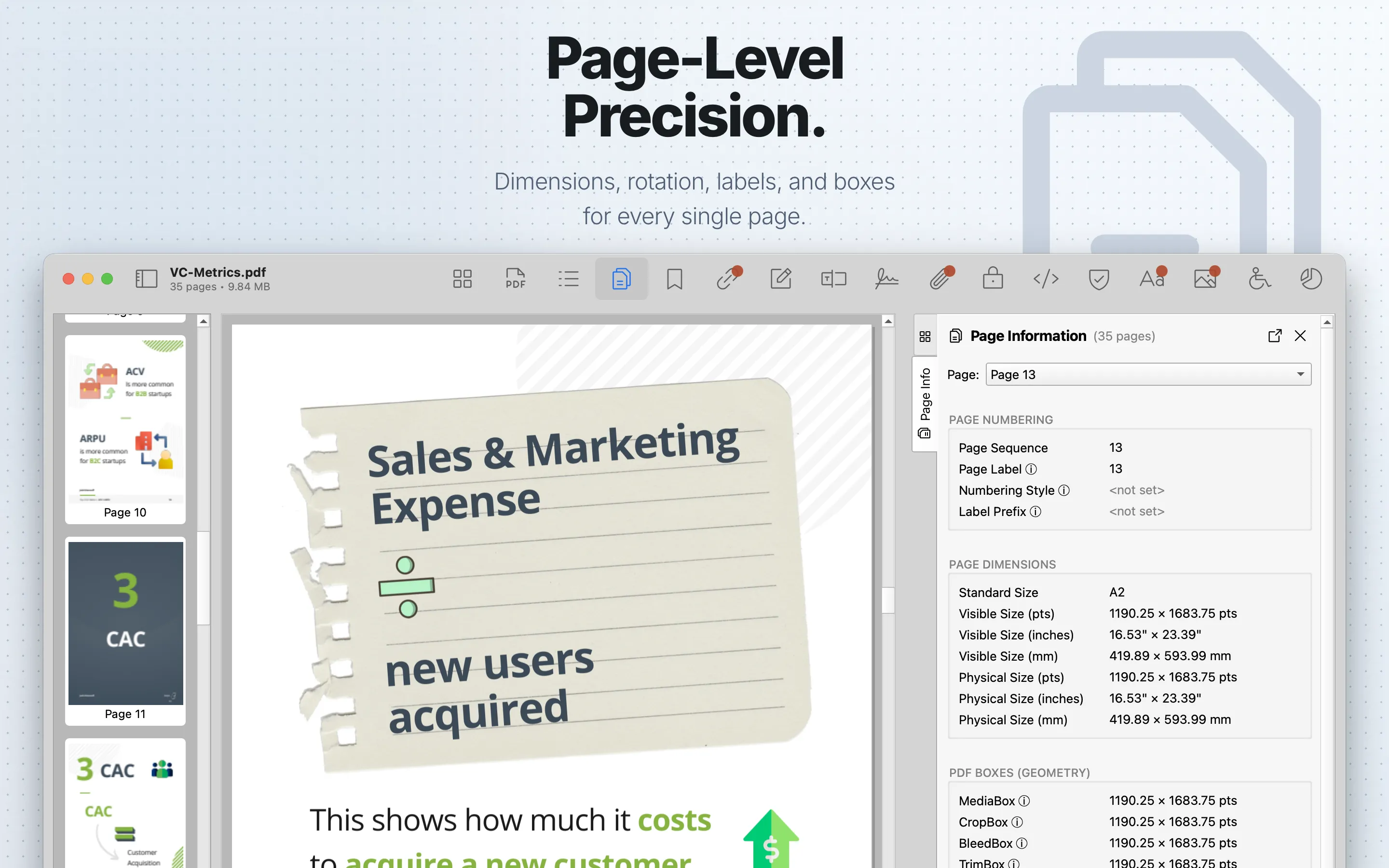
Pages lists page dimensions, labels, PDF page boxes, rotation, scaling, resource counts, and page content-stream size details. Use the page selector at the top to inspect one page at a time; changing the selector also moves the PDF preview to that page, and page changes from the preview update the selected page after scrolling settles.
When to use it
Use it for production QA, layout review, and diagnosing page geometry issues.
Sections
Page Numbering shows the physical page sequence, custom page label, numbering style, and label prefix. Numbering Style identifies PDF label styles such as decimal, Roman numerals, or alphabetic labels. Label Prefix is text prepended to page numbers, such as A- in A-1.
Page Dimensions shows the standard page size, visible size, and physical size in points, inches, and millimeters. Visible size uses the CropBox when present and falls back to MediaBox; physical size uses the MediaBox.
PDF Boxes (Geometry) shows the five page boundaries defined by PDF: MediaBox, CropBox, BleedBox, TrimBox, and ArtBox. MediaBox is the physical medium size. CropBox is the region clipped for display or print. BleedBox is the production bleed area. TrimBox is the intended final trimmed size. ArtBox is the meaningful content area. The section includes a Show Page Geometry control for revealing cropped content and drawing page-box overlays in the preview.
Orientation & Scaling shows page rotation and UserUnit. Rotation is clockwise and normally one of 0, 90, 180, or 270 degrees. UserUnit is the page scaling multiplier; 1.0 means one unit equals 1/72 inch, while large-format PDFs may use higher values.
Visual & Transparency shows the page transparency group color space and resource color spaces when defined.
Technical Metadata shows page resource counts for fonts, image XObjects, and extended graphics states; it also shows page Last Modified and whether PieceInfo is present. PieceInfo can contain application-specific private data from tools such as Illustrator or InDesign.
Page Size shows the number of page content streams and their total decompressed size. These values are decompressed content streams only; use Size Analysis for on-disk per-page bytes that include images, fonts, and XObjects.
PDF Auditor flags page boxes that extend beyond their allowed parent boundary. In that case a warning tooltip explains that renderers clip the box to the parent boundary.
Review steps
- Check page count, dimensions, rotation, labels, and numbering prefixes.
- Compare MediaBox, CropBox, TrimBox, BleedBox, and ArtBox when production geometry matters.
- Look for pages with unusual dimensions, non-default UserUnit values, unexpected rotation, or missing boxes.
- Use Show Page Geometry and visual review to confirm layout concerns.
- Use Size Analysis when you need compressed on-disk size rather than decompressed content-stream size.