
Metadata Tab
What it shows
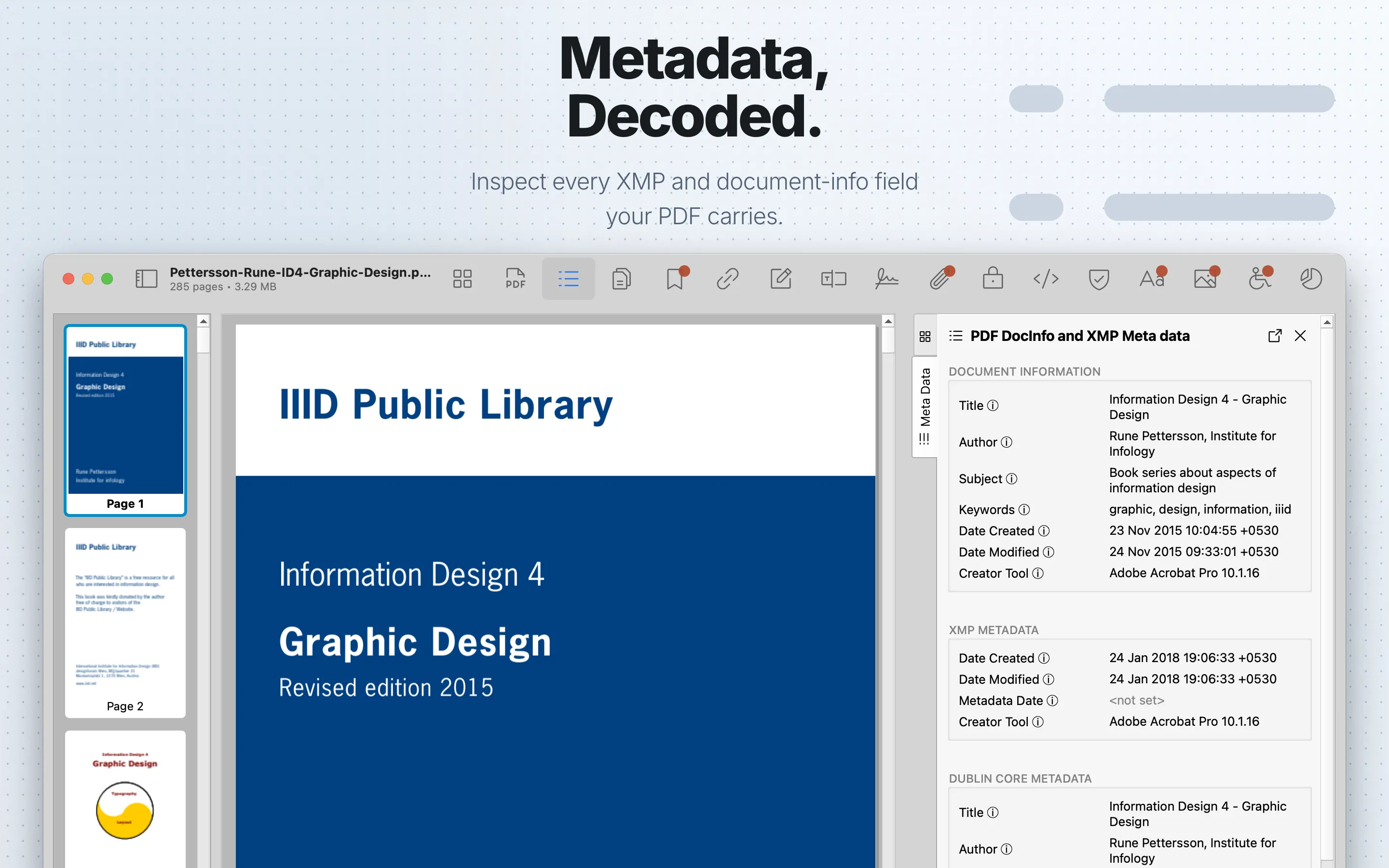
The Metadata tab shows document information from the PDF document information dictionary and embedded XMP metadata namespaces. It separates legacy document properties from XMP fields so you can compare what different tools wrote into the file.
When to use it
Use it to compare creator, producer, date, title, author, and related metadata fields.
Sections
Document Information shows the legacy PDF document information fields: Title, Author, Subject, Keywords, Date Created, Date Modified, and Creator Tool. Use these fields to check the basic authoring history that many viewers expose.
XMP Metadata shows XMP creation and modification dates, Metadata Date, and Creator Tool. Metadata Date is the time the metadata itself was last changed, which can differ from the document creation or modification date.
Dublin Core Metadata shows descriptive fields such as Title, Author, Subject, Subject Terms, Contributors, Date, Coverage, Relation, Language, Publisher, Document Type, Source, Rights, Format, and Identifier. These fields describe the resource and its publishing context rather than only the PDF file container.
PDF Metadata shows PDF-specific XMP values: Keywords, Producer, and PDF Version. Producer is the tool that saved the document as a PDF; Creator Tool is the first known creation tool.
XMP Media Management shows Document ID and Instance ID. Document ID is meant to identify all versions and renditions of the same resource; Instance ID identifies the specific saved incarnation and should change when the file is saved.
PDF/A Conformance shows the claimed PDF/A part and conformance level, such as A, B, or U. A claim in metadata is not a full validation result.
Custom Properties appears only when the document contains custom metadata properties. It lists document-defined custom key-value metadata.
Review steps
- Compare Document Information with the matching XMP and Dublin Core fields.
- Check creator, producer, title, author, creation date, modification date, Metadata Date, Document ID, and Instance ID.
- Look for missing, stale, conflicting, or unexpected values.
- Treat PDF/A metadata as a claim. Use an independent validator when conformance matters.
- Use Forensics when metadata conflicts with the expected document history.