
Review Redactions and Hidden Content
Use forensics and tab-specific inspectors to look for hidden text, overlays, incremental updates, annotations, and other content that may not be obvious in a standard viewer.
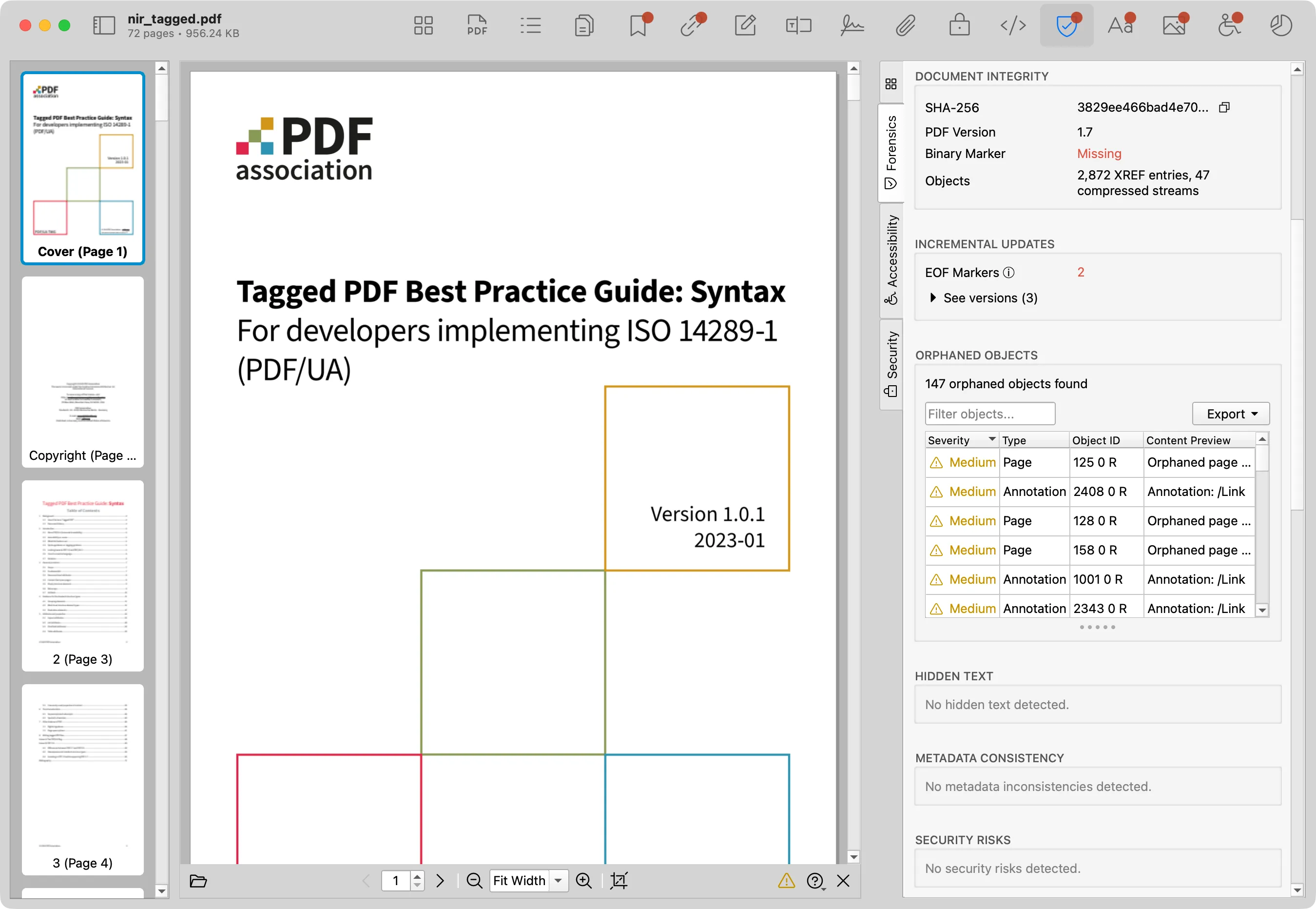
Review steps
- Run Forensics and review hidden-content or redaction-risk findings.
- Check Annotations for comments, markups, attachments, and overlay objects.
- Inspect Images and Fonts when visible text and embedded resources do not line up.
- Review Metadata for stale or revealing document properties.
- Visually inspect the PDF pages in the preview and in any viewer required by your workflow.
What to watch for
- Text hidden behind shapes or other content.
- Incremental updates after a claimed redaction step.
- Annotations or attachments that preserve sensitive material.
- Metadata or filenames that reveal information removed from visible pages.
Limits
PDF Auditor can flag structural risks, but final redaction validation should include manual visual review and workflow-specific checks.