
File Info Tab
What it shows
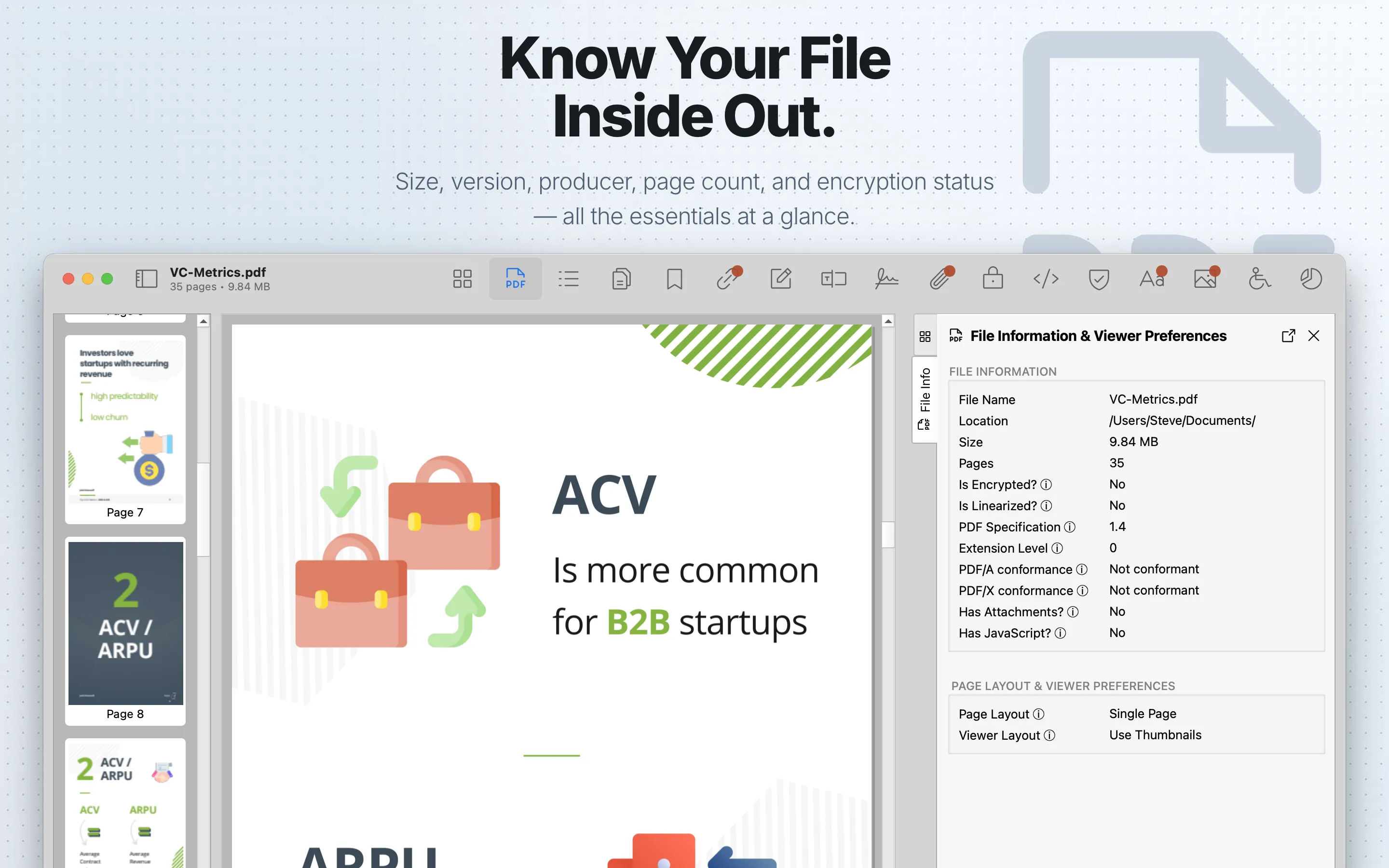
File Info summarizes document-level properties and opening preferences. It has two sections: File Information and Page Layout & Viewer Preferences.
When to use it
Start here when validating a file before deeper inspection.
Sections
File Information shows file name, containing location, file size, page count, encryption status, linearization status, PDF specification version, extension level, claimed PDF/A conformance, claimed PDF/X conformance, attachment presence, and embedded JavaScript presence.
Page Layout & Viewer Preferences shows the PDF catalog’s requested page layout and viewer layout. Page Layout describes how pages should be displayed. Viewer Layout describes which viewer panels or interface elements the PDF requests when opened.
Review steps
- Confirm the file name, location, page count, file size, and PDF specification.
- Check encryption, attachments, JavaScript, and linearization status before deeper review.
- Treat PDF/A and PDF/X values as claims; use an independent validator when conformance matters.
- Use this overview to decide which specialized tabs need deeper review.
- Move to Metadata , Security , Attachments , JavaScript , or Forensics when those flags are relevant.