
Forensics Tab
What it shows
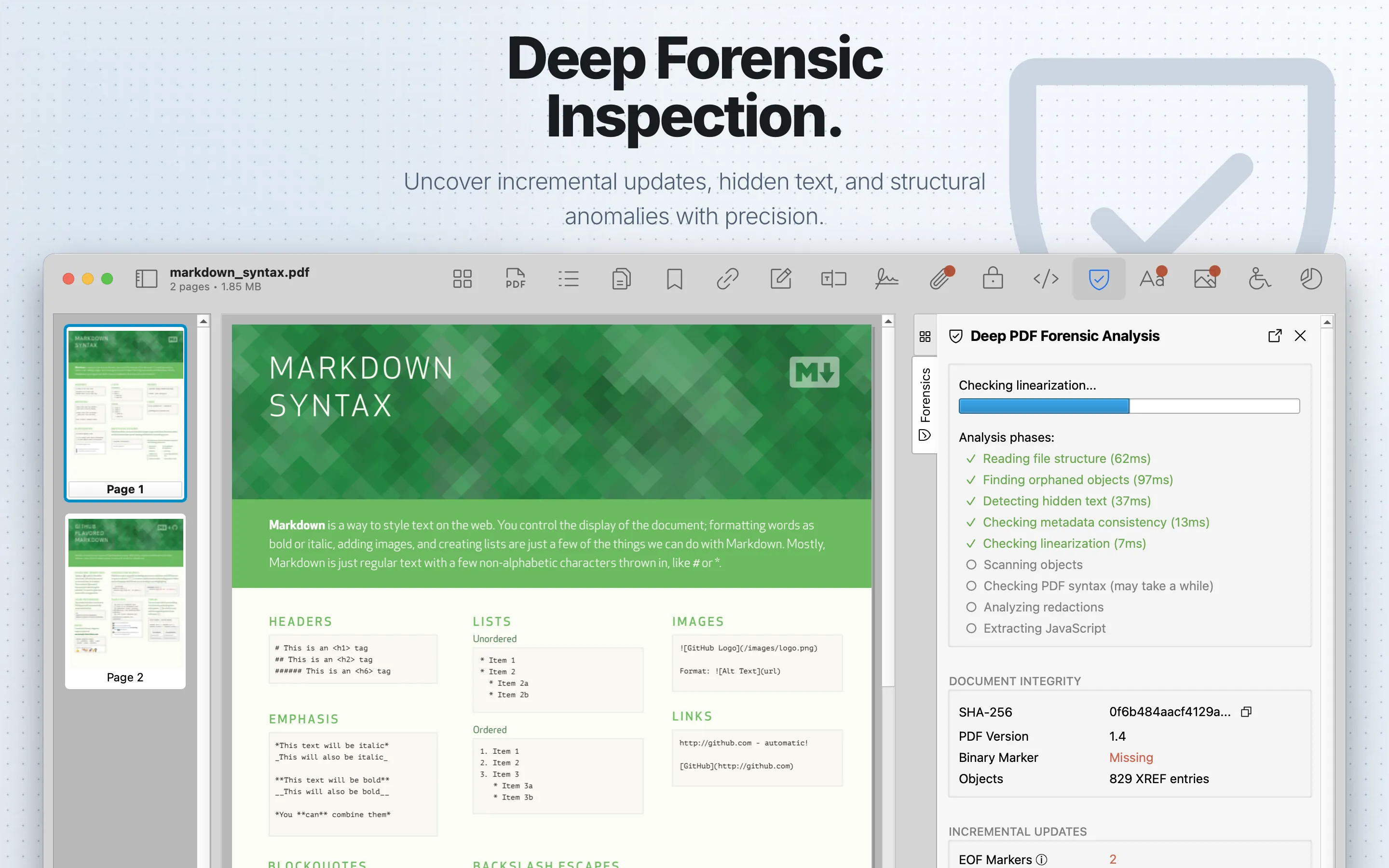
Forensics runs a static structural analysis of the PDF and reports findings about suspicious structure, hidden content, incremental updates, metadata consistency, security risks, syntax warnings, scripts, and redaction risks.
When to use it
Use it when reviewing untrusted, sensitive, redacted, or workflow-critical PDFs.
Scans performed
Forensics runs these checks during analysis:
| Scan | What it checks |
|---|---|
| Incremental updates and shadow attacks | Multiple save versions and update history that may indicate changed or hidden content. |
| Orphaned objects | PDF objects that are not referenced through the normal document structure and may contain hidden data. |
| Metadata consistency | DocInfo/XMP discrepancies between document information and XMP metadata. |
| Hidden text | Invisible fonts, tiny text, white-on-white text, and other suspicious text rendering. |
| Redaction security | Unapplied or fake redactions that may leave underlying content recoverable. |
| Security, JavaScript, and structural issues | Risky features, embedded scripts, parser warnings, and object-level structural findings. |
Understanding the Scan Results
Click Run Analysis to start. While analysis runs, PDF Auditor disables the PDF viewer and shows progress through phases such as file read, orphan scan, hidden-text scan, metadata check, object scan, syntax warnings, redaction check, and JavaScript analysis. Use Stop to cancel and keep partial results visible; use Restart or Rerun to start over.
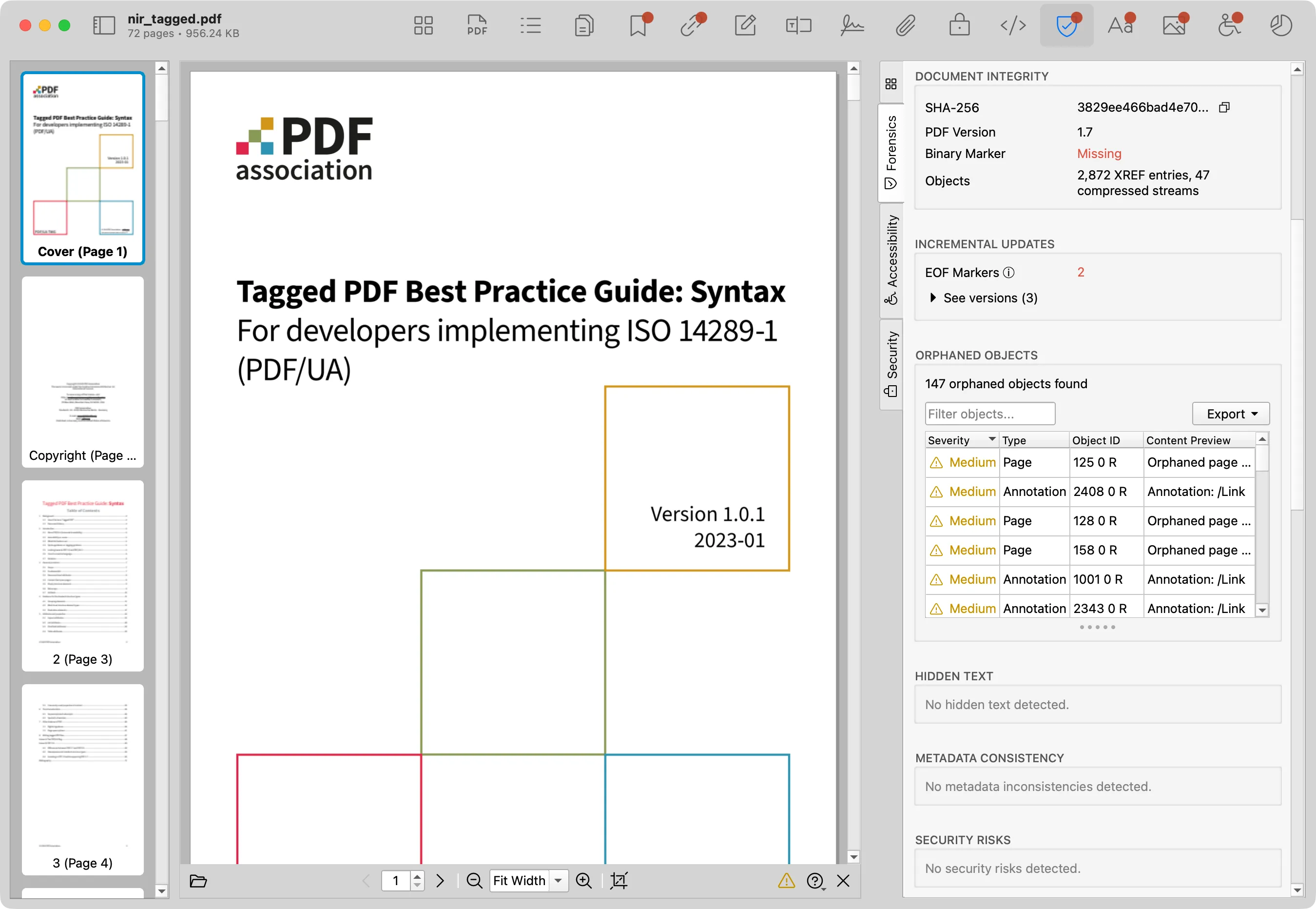
After completion, the report shows sections in scan order:
- Document Integrity for file hash, PDF version, binary marker, repair status, object counts, embedded-file counts, and low-level comments.
- Incremental Updates for multiple save revisions, EOF markers, and update history indicators.
- Orphaned Objects for objects not referenced through normal document structure.
- Hidden Text for invisible, tiny, same-color, or otherwise suspicious text.
- Metadata Issues for DocInfo/XMP discrepancies and unusual metadata state.
- Security Risks for risky structural features.
- Integrity Log for object-level integrity findings.
- Warnings for parser or syntax warnings.
- Redaction Security for fake or unapplied redactions and related risks.
- Scripts for JavaScript summary and a shortcut to the JavaScript tab.
- Scope & Limitations for interpretation caveats.
Many report tables include filtering and CSV/JSON export controls. Free users may see blurred detailed rows while summary information remains visible.
Report Tables
Forensics contains several report sections, so columns vary by section:
| Section | Columns | What they mean |
|---|---|---|
| Incremental Updates | Version, Offset, Size, Notes | Save revision number, byte offset, revision size, and summary notes. |
| PDF Comments | Offset, Comment | Byte offset and low-level PDF comment text. |
| Orphaned Objects | Severity, Type, Object ID, Content Preview | Risk level, orphan type, PDF object reference, and a short content preview. |
| Hidden Text | Page, Issue Type, Font Size, Text Preview | Page number, hidden-text signal, detected font size, and nearby text. |
| Metadata Issues | Severity, Issue Type, Field, DocInfo Value, XMP Value | Risk level, discrepancy type, metadata field, legacy DocInfo value, and XMP value. |
| Security Risks | Severity, Type, Object, Description | Risk level, risk category, related object, and explanation. |
| Integrity Log | Severity, Object, Description | Risk level, related PDF object, and integrity finding. |
| Warnings | Warning | Parser or syntax warning text. |
| Redaction Security | Severity, Page, Issue Type, Description | Risk level, page number, redaction issue type, and explanation. |
Review steps
- Review warnings before lower-severity findings.
- Select a finding to inspect its description, source, and page context when available.
- Cross-check related tabs such as Metadata , JavaScript , Annotations , and Links .
- Export a report for review handoff when needed.
Export the report
After a scan completes, use Save Scan Report… to save a self-contained HTML report. The report is intended for handoff, documentation, ticket attachments, and archive records when a PDF needs a review trail outside the app.
The HTML report includes the scan summary, document integrity details, incremental update information, risk findings, warnings, redaction checks, script findings, and interpretation notes. Treat exported reports as sensitive because they can include file names, hashes, metadata, script content, object previews, hidden-text previews, and other document details.
Full Forensics report export requires PDF Auditor Pro. Individual Forensics table sections can also export CSV or JSON data when export is available for that section.
Open the sample HTML report or preview the PDF version below.