
Security Tab
What it shows
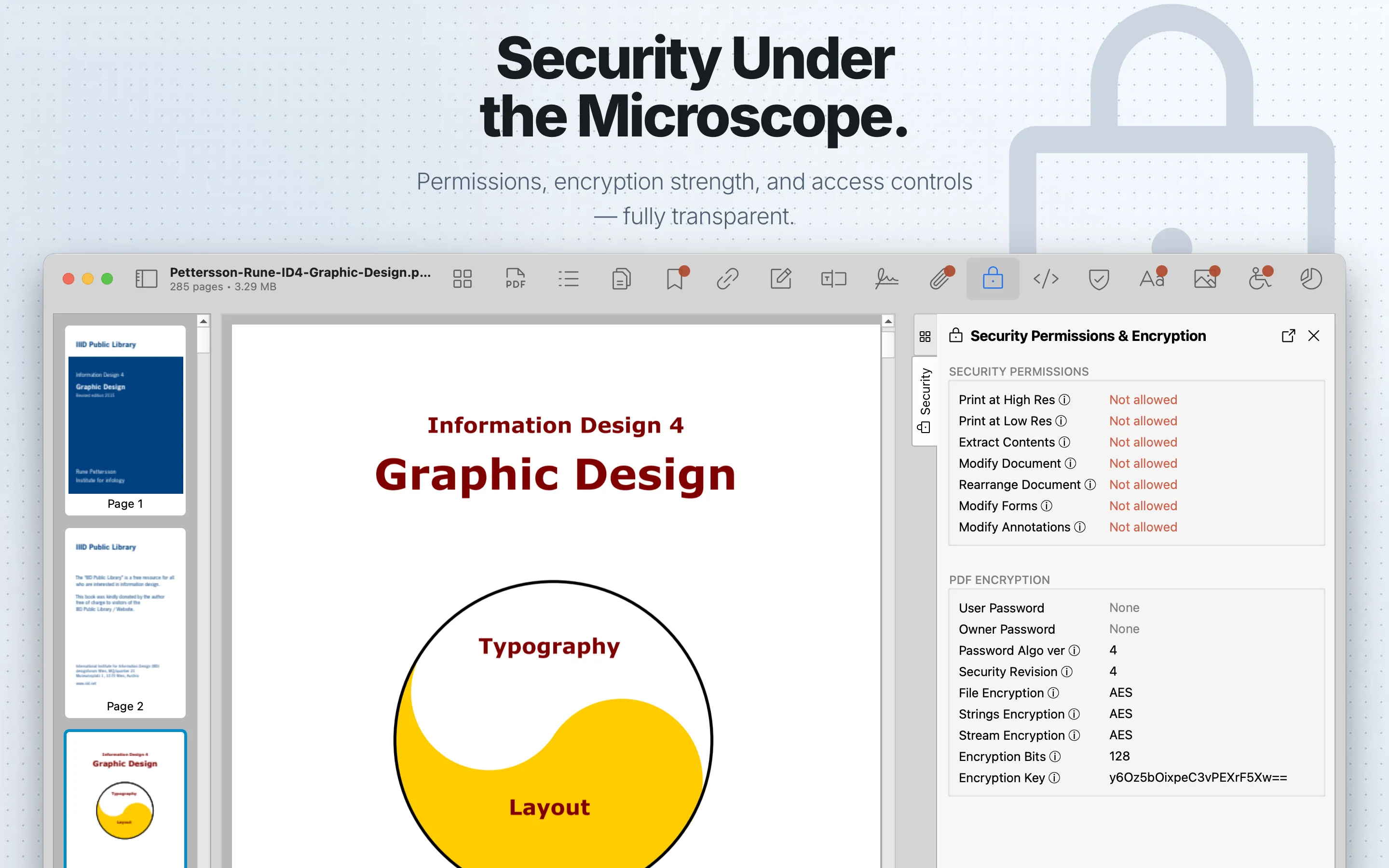
Security shows PDF permission flags and encryption details.
When to use it
Use it when reviewing protected PDFs or confirming how a document can be copied, printed, edited, or extracted.
Sections
Security Permissions shows whether the PDF permits high-resolution printing, low-resolution printing, content extraction, document modification, document rearrangement, form modification, and annotation modification.
PDF Encryption shows whether the file is encrypted. For encrypted PDFs, it shows available password information, password algorithm version, security revision, file/string/stream encryption methods, encryption bit length, and the Base64-encoded encryption key. Password values are masked when available and can be revealed with the show/hide control.
Review steps
- Confirm whether the PDF is encrypted.
- Check whether a password was required to open the document.
- Review permission flags for printing, copying, editing, form filling, annotation changes, and content extraction.
- Check encryption methods and bit length when the encryption scheme matters.
- Inspect Signatures if the document is signed.